


To claim your business in ChatGPT, sign in to ChatGPT, open Business Hub at chatgpt.com/business-hub, search for your business, verify that you control it, and then pass an identity check with a government-issued ID. OpenAI launched Business Hub on November 10, 2026, as part of a beta it calls Businesses in ChatGPT.
We claimed Mover Marketing AI the day after launch and took a screenshot of every screen along the way. This guide walks through the same steps, explains where moving companies run into trouble, and covers what you get once your profile is approved. I ran a moving company for years before starting this agency, so the notes on phone lines, addresses and service areas come from the problems movers hit.
What does claiming your business in ChatGPT get you?
A claimed and verified profile lets you correct the details ChatGPT shows about your business and see numbers OpenAI hasn't shared before. OpenAI's setup guide lists what you can edit after approval: website, business description, category, logo, delivery policy, return policy, a cover photo and other optional details.
The Insights tab covers the past 28 days:
- Mentions. For an online business, a mention counts when ChatGPT references your website. Naming your brand alone doesn't count. For a local business, a mention counts when ChatGPT shows a result for that location.
- Website clicks. How often people click through to your site.
- Discovery topics. Common themes in the answers that mentioned or cited you. OpenAI says these don't reveal individual prompts.
A blank metric doesn't mean zero. OpenAI says it can mean activity hasn't reached the reporting threshold or data is still coming in.
Be clear about what claiming won't do. OpenAI's guide says claiming "doesn't guarantee increased visibility or give you direct control over ChatGPT's independent recommendations," and that advertising doesn't influence those answers. If an agency promises to get you recommended because they claimed your profile, read our piece on AI recommendation poisoning before you pay them.
What do you need before you start?
You need a ChatGPT account of your own, DNS access for your website's domain (or someone who can add a record quickly), and a government-issued ID for the final check. OpenAI says you don't need an ads account or a ChatGPT Enterprise agreement.
Use an account you'll keep. The person who claims the business becomes its admin, and OpenAI asks that each person use their own ChatGPT account rather than sharing a login. If an agency will help manage the profile, you add them after approval.
Let's Build Your Growth Plan
No pitch deck. No generic playbook. Just a straight conversation about where your moving company stands online and what it takes to start winning more jobs.
How do you claim your business in ChatGPT?
Step 1: Open Business Hub and search for your business
Go to chatgpt.com/business-hub. OpenAI's guide says to open Business Hub from the sidebar. On our account the sidebar showed only an icon with no label, so the direct link is the quickest way in.
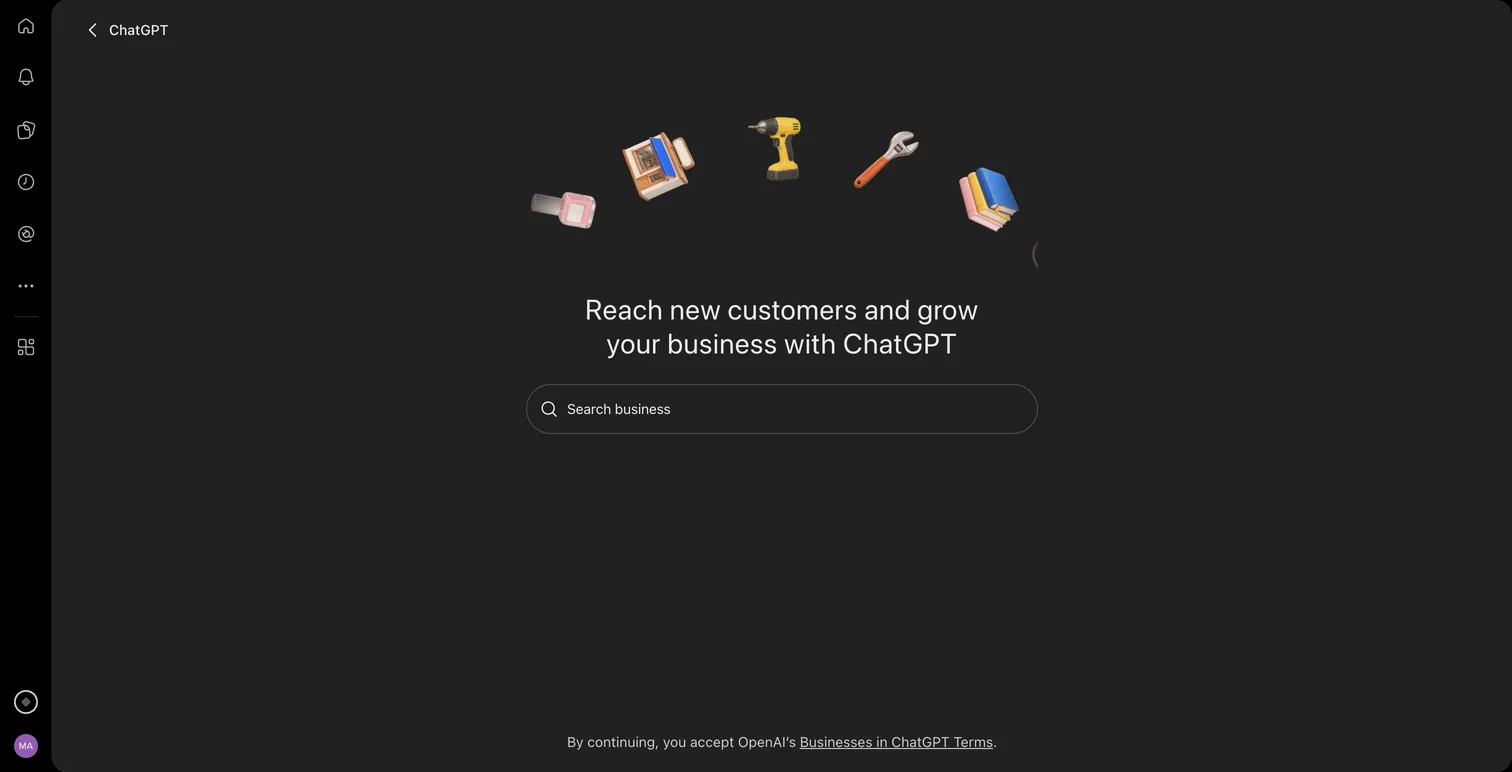
Type your business name. If ChatGPT already has a listing for you, select it and confirm the account you'll use to manage it. If there's no match, you'll see an option to create one. Ours showed "No matching business" with a Create 'Mover Marketing AI' button.
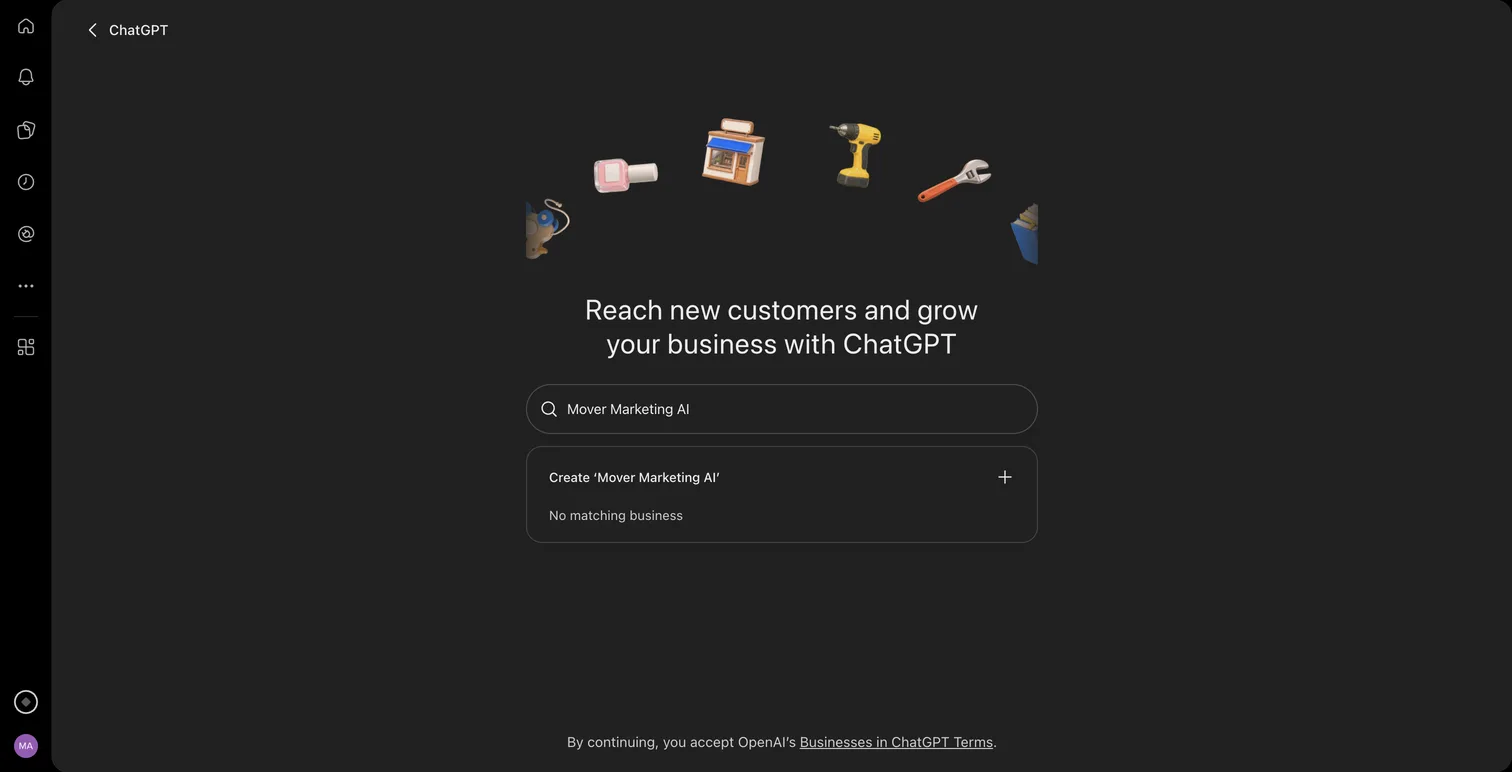
If you see Contact support instead, the listing is locked and you'll need OpenAI to help with access. If someone else already claimed your business, open its profile, select the ••• menu and choose Dispute ownership.
Step 2: Tell ChatGPT how customers reach you
Next, ChatGPT asks "How do customers usually interact with" your business, with two choices:
- At a physical location: "Customers visit a store, restaurant, office, or other location."
- Through a website: "Customers buy from your website or marketplace."
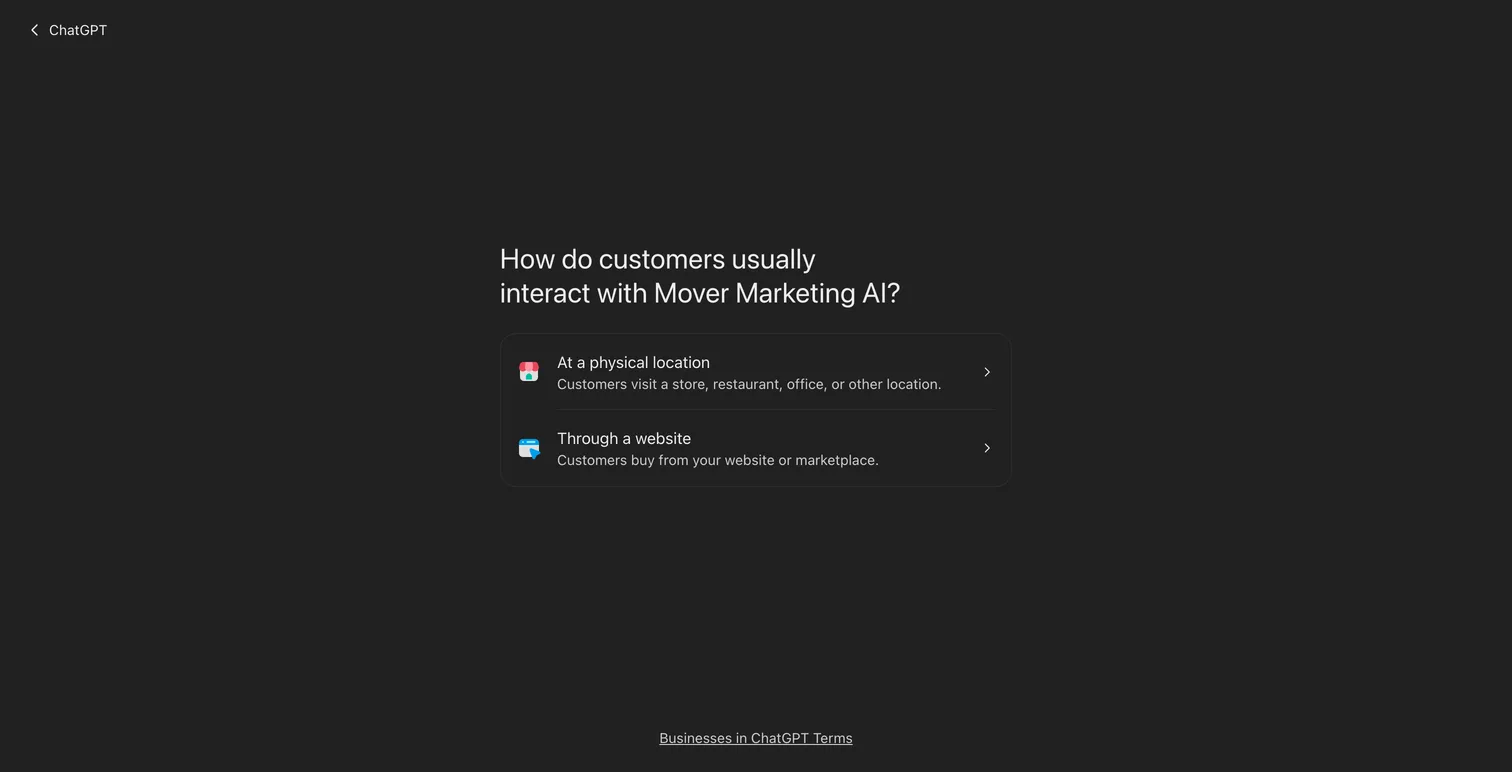
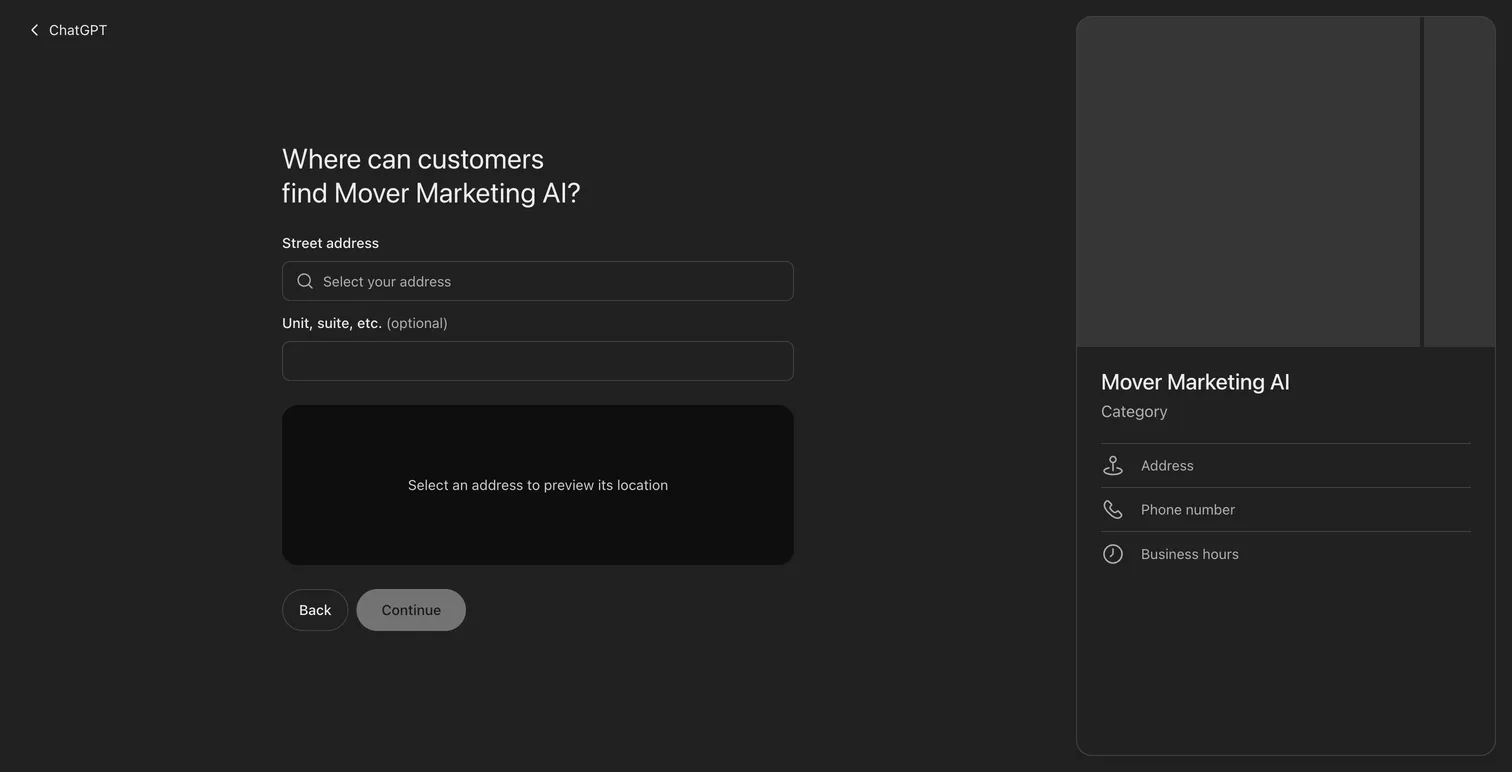
This choice decides the rest of the setup. The physical location path makes the website optional and asks "Where can customers find" you, with a street address search and a map preview. We didn't see a service-area option.
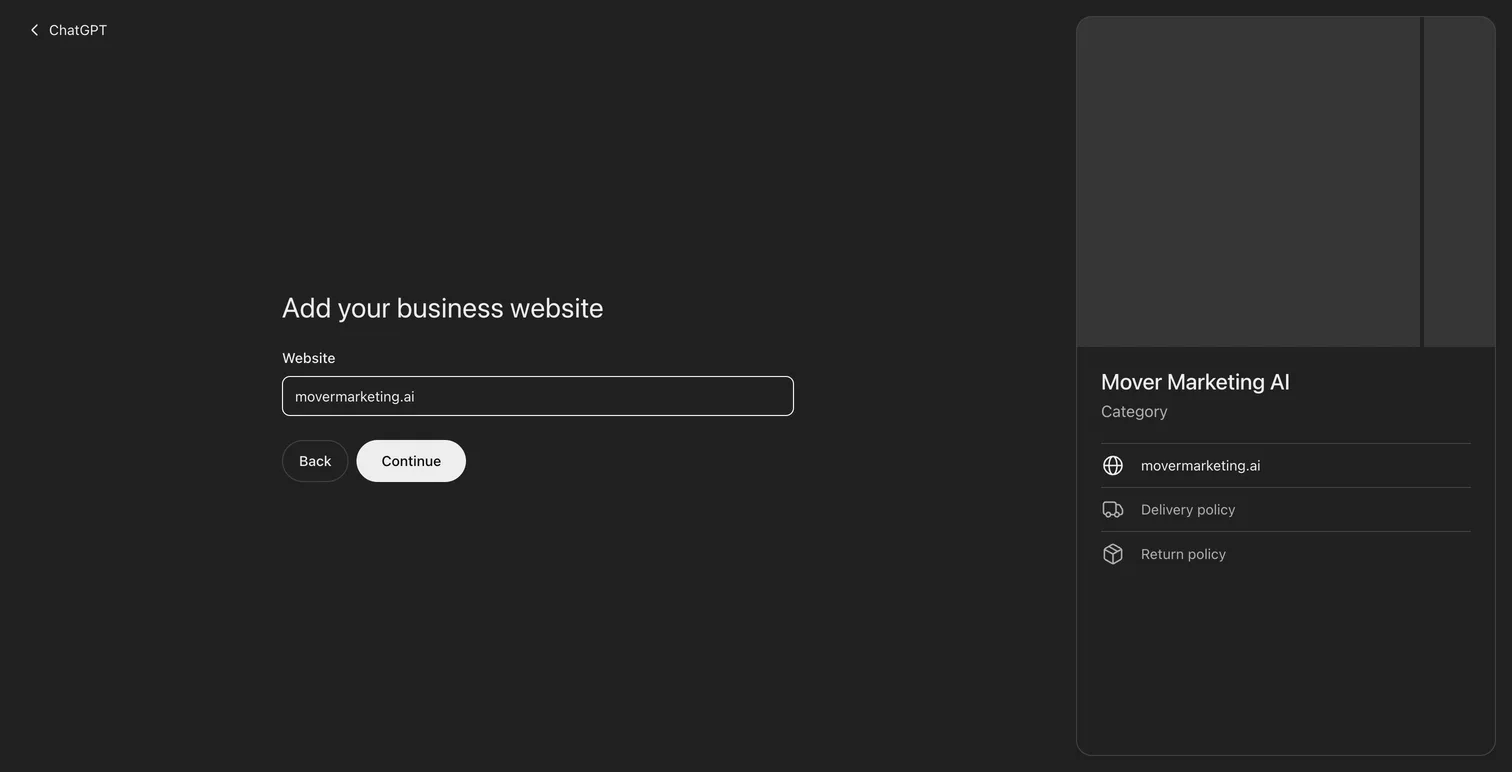
Step 3: Add your website
On the website path, ChatGPT asks for your business website. The profile preview on the right fills in as you go.
Step 4: Verify your claim
OpenAI offers four verification methods, depending on the business: business phone, business email, website domain or Shopify store. On the website path, ChatGPT took us straight to domain verification.
The domain method asks you to add a TXT record to your DNS. The name was openai-business-profile plus our domain, and the value started with openai-business-profile=. Copy the type, name and value exactly, then click Verify domain.
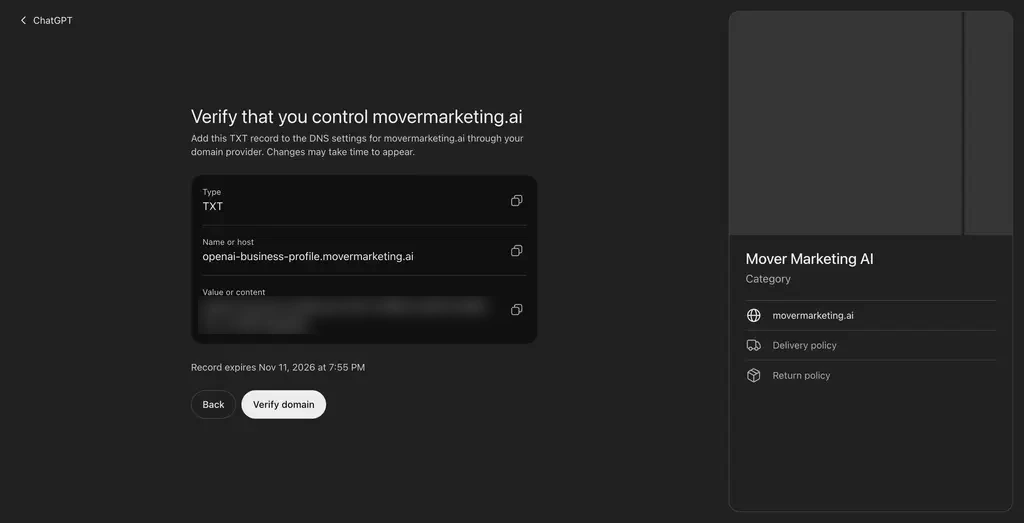
The record expires. Ours expired about 30 minutes after ChatGPT showed it, so start this step when the person who manages your DNS is available. If the record expires, go back and ChatGPT gives you a new value. Ours verified a few minutes after we added the record.
If you claim an existing listing instead, you may see the other methods. Business phone sends a code by text or automated call. Business email sends a code to the email address associated with your business.
Step 5: Pick a category and describe your business
ChatGPT suggested three categories for us: Marketing agency, Advertising agency and Copywriting service. Below that is a box called "More about your business," which ChatGPT says it can share "in conversations when helpful or relevant."
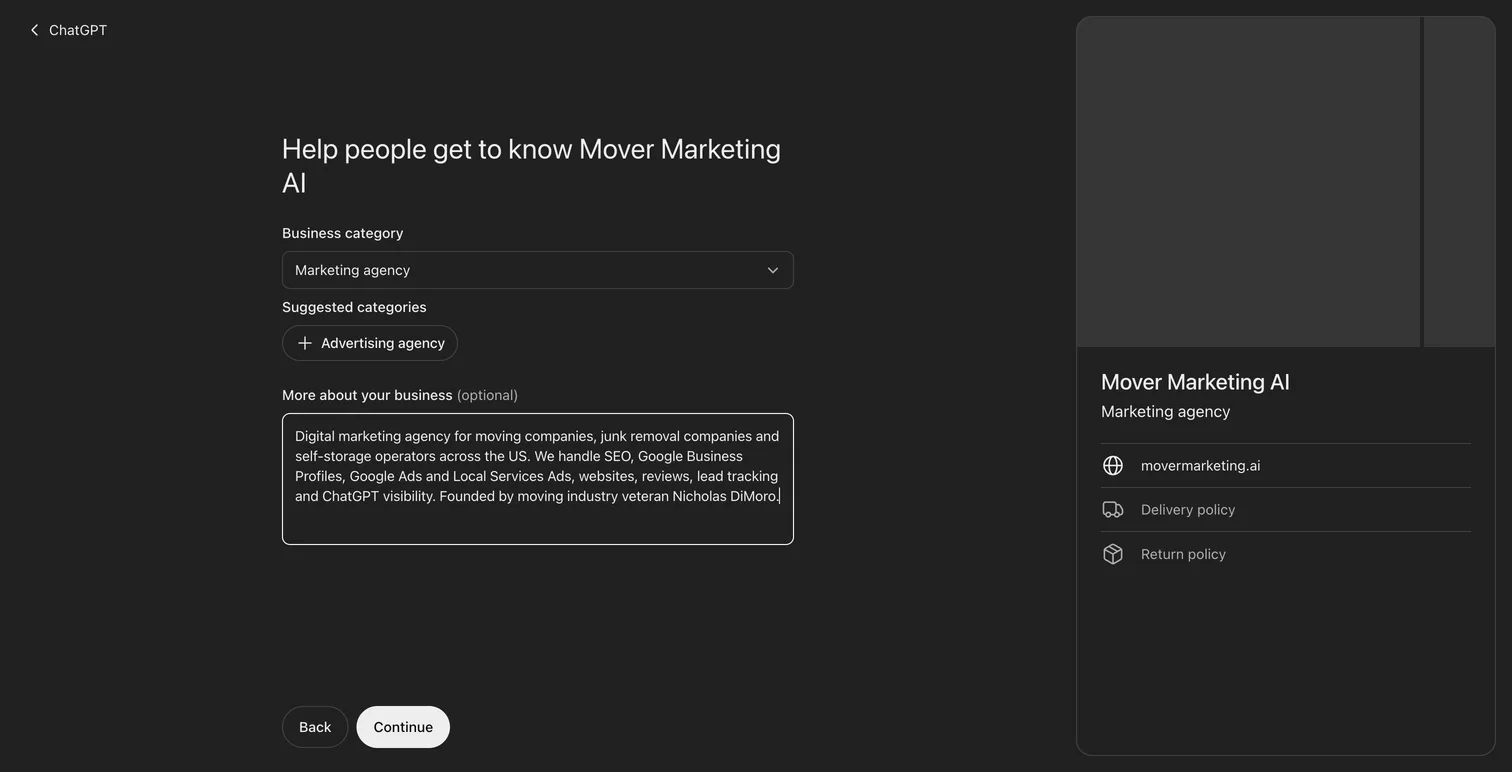
The box stops at 300 characters. Write two or three plain sentences: what you do, who you serve, where you work. Leave out claims you can't back up. OpenAI's Businesses in ChatGPT policy bans "unsupported guarantees" and false claims about prices, availability or likely results.
Step 6: Add contact details (carefully)
Phone and email are optional. Any phone number you add has to pass its own verification code, sent by text or automated call.
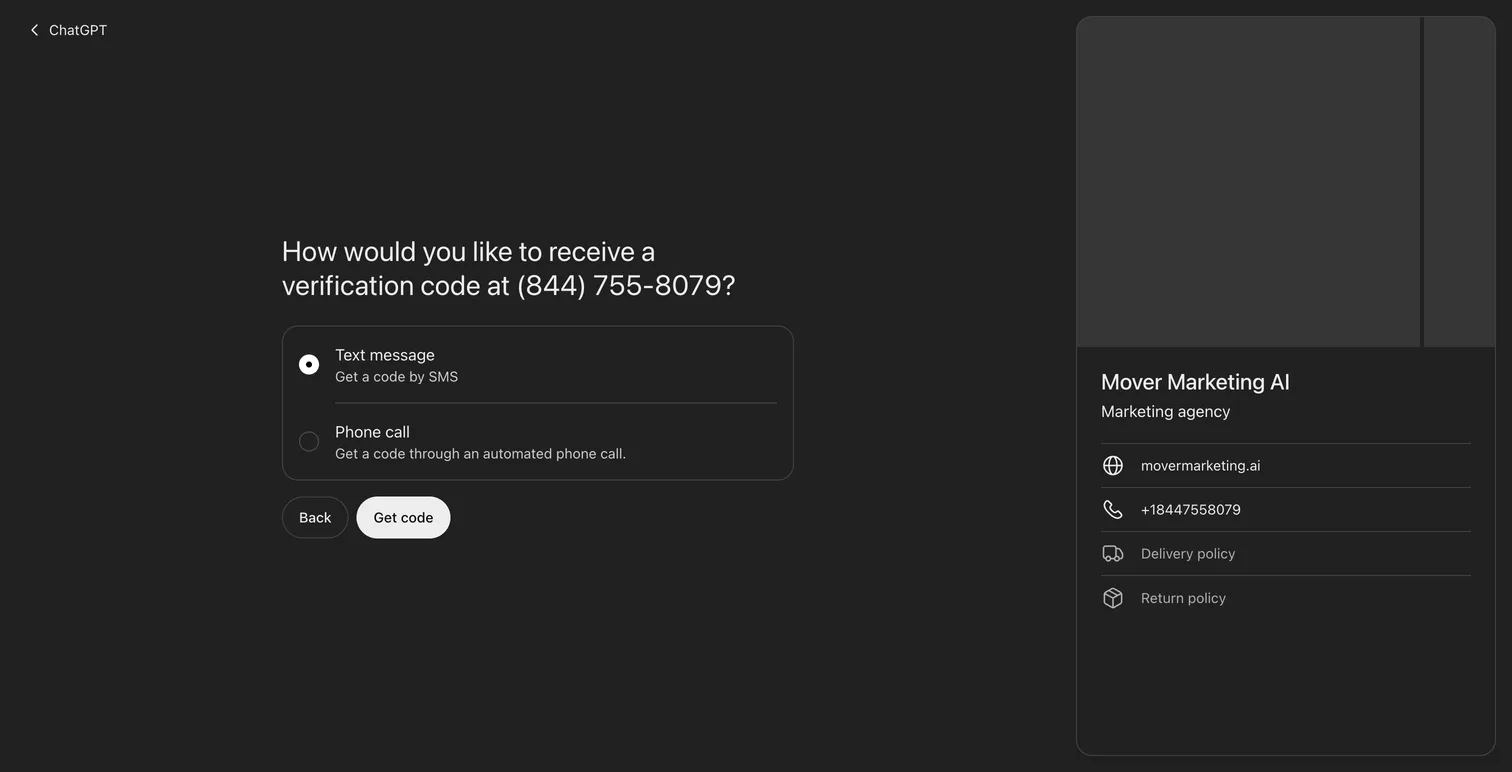
This is where we got stuck. ChatGPT couldn't send a code to our toll-free 844 number by text or by call. A mobile number worked, but it was a personal cell, and the number you add shows on your profile. We left the phone off and kept going.
If you're a mover, think about which number you add. Use a line that can receive texts and that you're happy for customers to call. If you use call tracking, check with your marketing team first so ChatGPT doesn't end up listing a tracking number by mistake.
Step 7: Answer the delivery and return questions, then submit
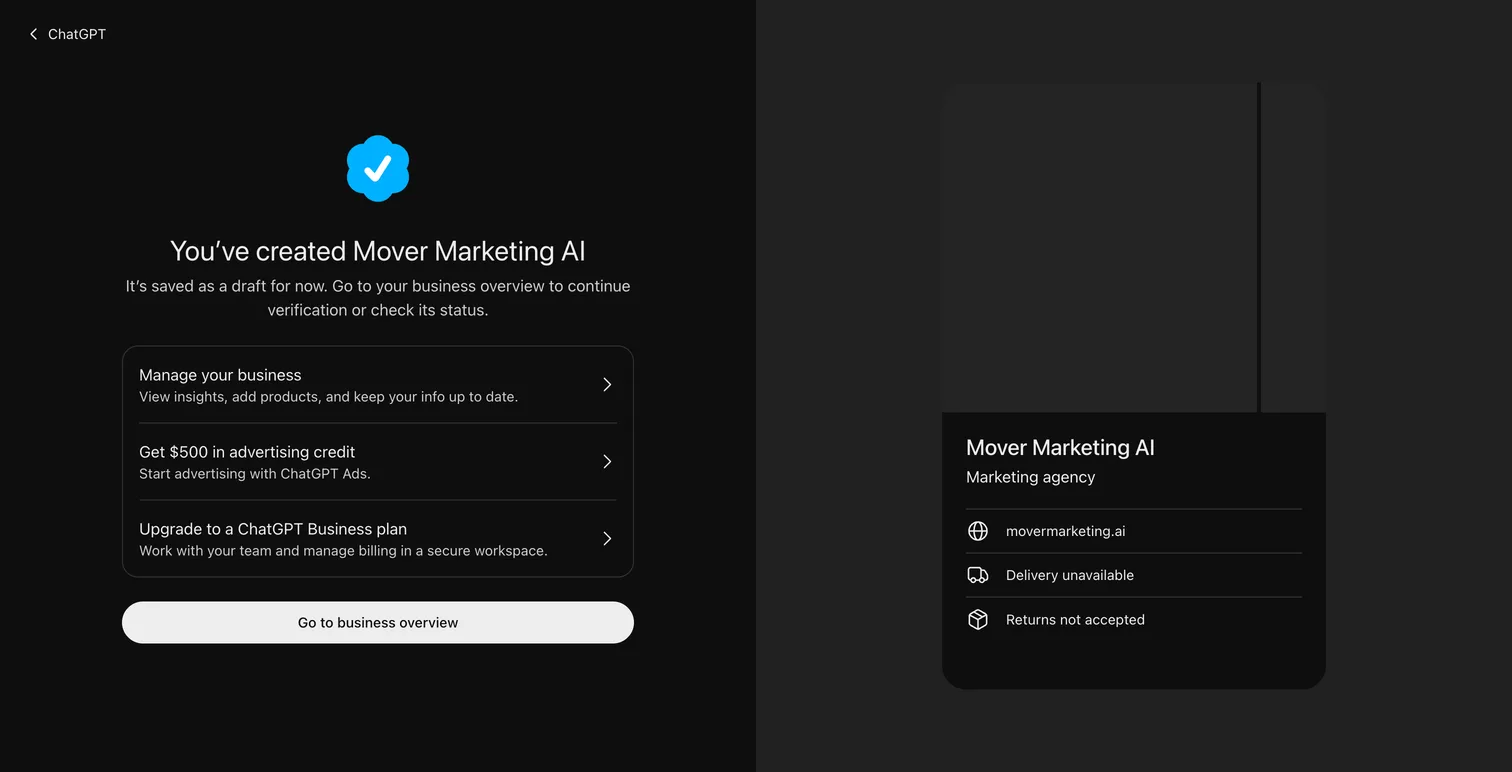
The last two screens ask about delivery and returns. They're built for online stores. A service business can pick We don't offer delivery and Returns not accepted. The profile preview then shows "Delivery unavailable" and "Returns not accepted."
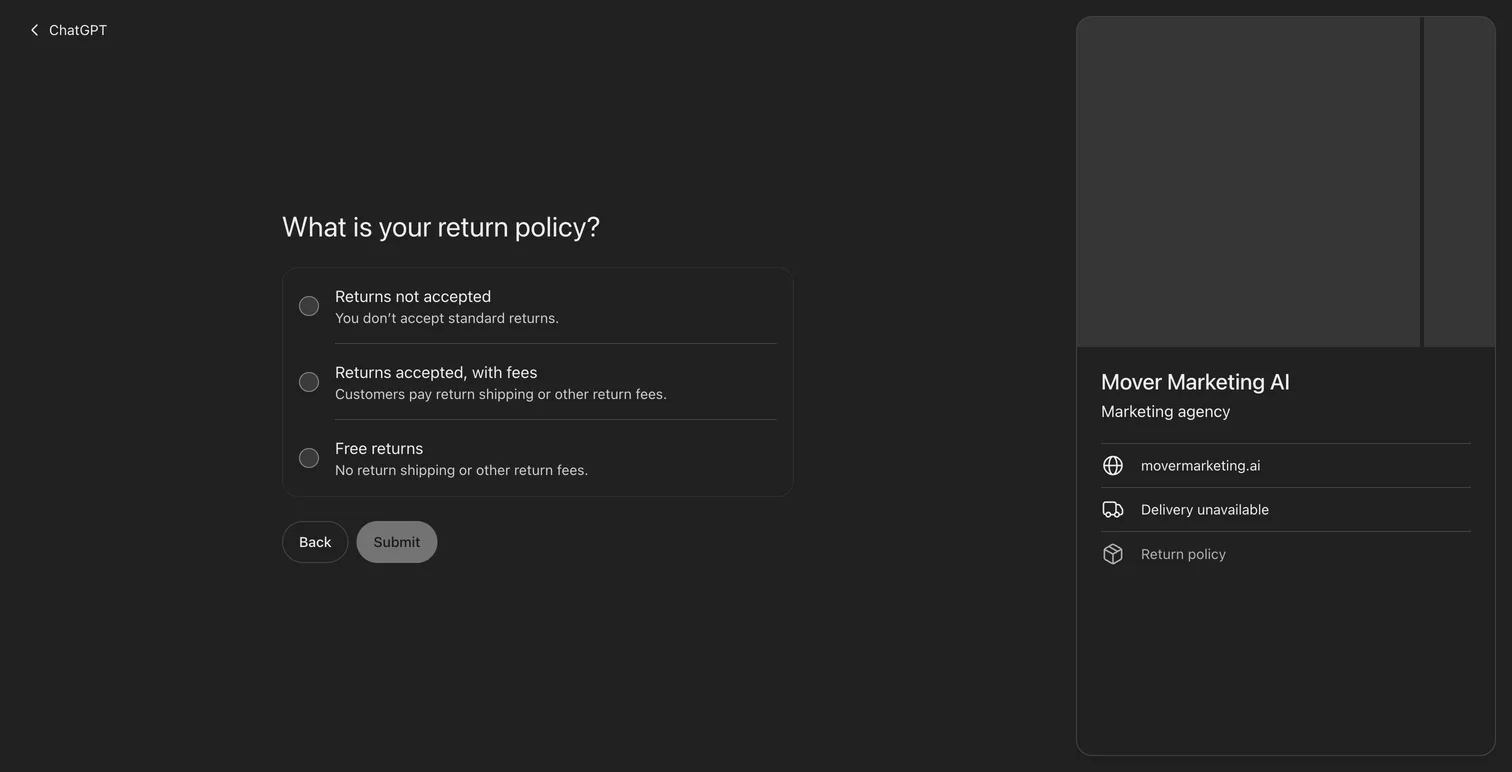
Click Submit. ChatGPT confirms the profile and saves it as a draft.
Step 8: Verify your identity with Persona
Your business overview now shows a Draft label and a banner asking you to verify your identity with a government-issued ID. The banner says this "is required before editing business info or publishing your business agent." Business Hub lists the claim as Pending until you finish.
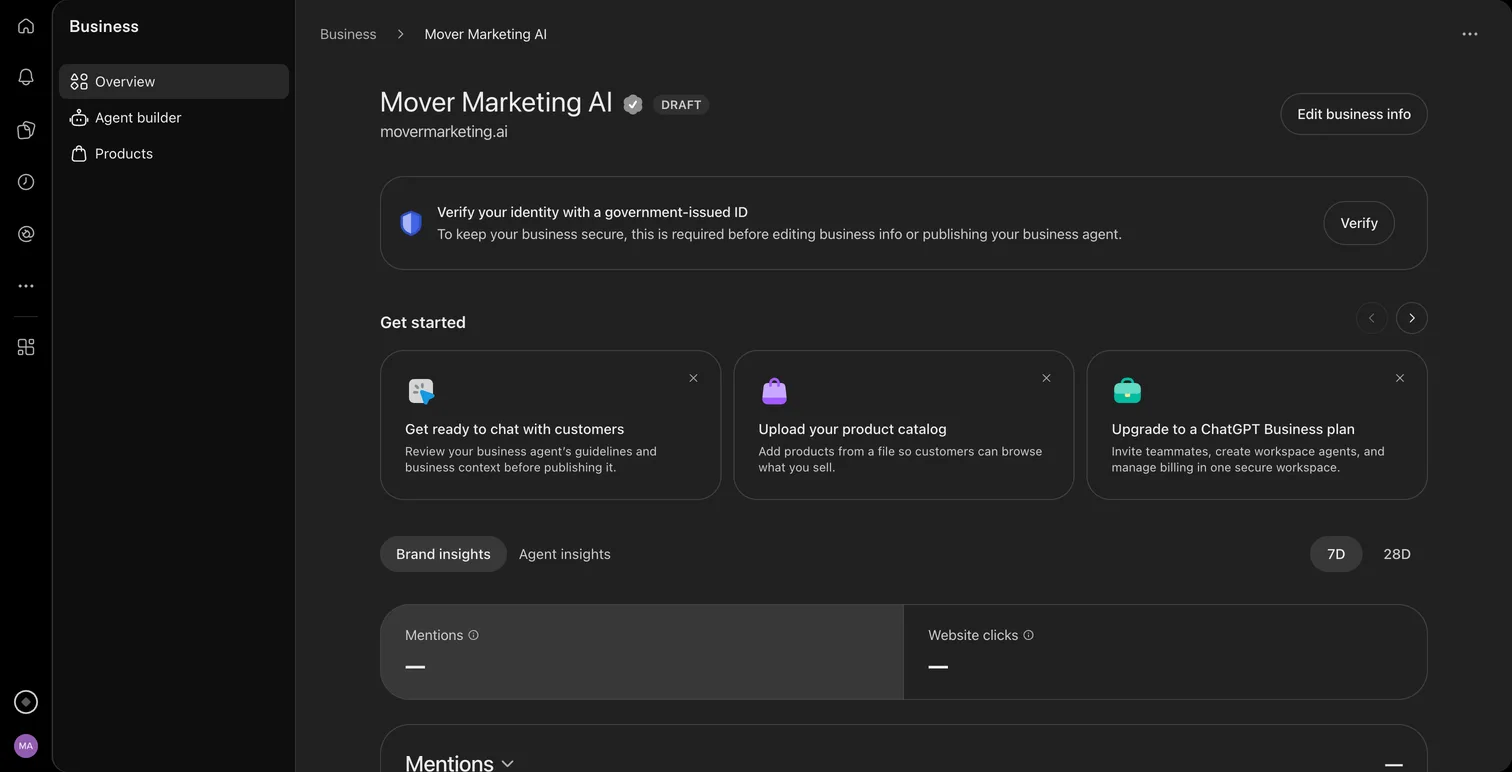
Click Verify and follow the prompts from Persona, the identity company OpenAI uses. OpenAI says you may need a government-issued ID, business registration information and proof that you're authorized to represent the business. Make sure the name, address and any registration or tax number match your official records.
OpenAI reviews the submission and emails you its decision. The blue verified check appears only after that approval. Claiming alone doesn't add it.
Can moving companies claim a business in ChatGPT?
Moving companies can claim a profile if they can pass verification, but the local path is limited right now. OpenAI's guide says "Local stores and restaurants can currently claim only an existing U.S. listing," and the physical location path asks for a street address. Most movers serve an area from a yard or an office customers never visit, and we didn't see a service-area option.
Some moving companies we work with have been verified after choosing Through a website. OpenAI hasn't published guidance on this. Its policy says the details you add "must truthfully represent the business," including its category and its "address or service area." Pick the option that honestly fits how your customers reach you. If you hit a waitlist, it's worth waiting for local support rather than bending your details to fit.
Two other points matter for movers:
- Each location is separate. OpenAI says "Claiming the main brand doesn't claim its locations." Plan to verify each one.
- ChatGPT may call you. OpenAI's Businesses in ChatGPT Terms say that by using Business Hub, "you agree OpenAI's AI assistant may make calls to you on behalf of our users." That could mean an AI calling your office to check availability or prices for a customer. Brief whoever answers your phones. The terms link to an opt-out at realtime.chatgpt.com/stopcalls.
What should you do after your profile is approved?
Once your identity check is approved, add the details you couldn't add during setup: a logo, a cover photo and a tidier description. OpenAI reviews changes before publishing them, and updates can take time to show up in ChatGPT's answers.
Then give your agency access instead of sharing your login. OpenAI's guide says the admin who claimed the business "can add teammates in Business Hub and grant an agency access to manage the business or its agent." Your agency can then keep the profile current and watch the insights with you.
Keep working on the information ChatGPT finds elsewhere, too. OpenAI says ChatGPT "may also use other sources when answering questions about your business," so your website, your Google Business Profile and your reviews still shape what it says. Our guide on how businesses get recommended by ChatGPT covers that side, and our piece on how AI agents will change local service websites covers what comes next.
What are Business Agents, and do movers need one?
A Business Agent is a chat that answers customer questions about your business inside ChatGPT, using information you provide. For now, OpenAI offers them only to eligible ecommerce and online service businesses in the U.S. Claiming your profile doesn't require an agent. OpenAI says claiming, publishing an agent and advertising are separate.
For a moving company, the agent can explain your services and policies and link to your website. OpenAI says it can't complete purchases or bookings. Your quote form still does the work, so make sure the pages it links to are accurate before you publish one.
Strategy Drops, Not Spam
We send moving industry SEO insights when we find something that actually matters -- algorithm shifts, data we've collected, strategies that are working right now. That's it.
No schedule. Unsubscribe anytime. Privacy Policy
FAQ
How do I claim my business in ChatGPT?
Sign in to ChatGPT, open Business Hub at chatgpt.com/business-hub and search for your business. Select your listing, or create one if you run an eligible online business. Verify by business phone, business email, website domain or Shopify, then finish the identity check with a government-issued ID.
Does it cost anything to claim a business in ChatGPT?
We saw no fee anywhere in the claim flow. OpenAI says you don't need an ads account or a ChatGPT Enterprise agreement to claim an eligible business.
Can a moving company claim its business in ChatGPT?
Yes, if it can pass verification. The physical location path asks for a street address, and OpenAI says local stores and restaurants can currently claim only an existing U.S. listing. Choose the option that truthfully describes how your customers reach you.
Will claiming my business make ChatGPT recommend it more?
OpenAI says claiming doesn't guarantee more visibility or give you control over ChatGPT's independent recommendations. It lets you correct your details and see how often ChatGPT mentions you.
Why didn't my phone verification code arrive?
In our test, ChatGPT couldn't send a code to a toll-free 844 number by text or by automated call. Use a number that can receive texts, or leave the phone field empty if you verified another way.
How do I get the blue verified check in ChatGPT?
Claiming alone doesn't add it. The blue check appears after OpenAI approves your Persona identity verification, which asks for a government-issued ID and may ask for business registration details.
Can my marketing agency manage my ChatGPT business profile?
Yes. After your claim is approved, the admin who claimed the business can grant an agency access from Business Hub. OpenAI asks that each person use their own ChatGPT account, so don't share your login or forward your claim invitation.
Do I need to claim each location separately?
Yes. OpenAI says each brand is managed separately and claiming the main brand doesn't claim its locations.
The Bottom Line
The claim screens take a few minutes. The identity check and OpenAI's review take longer. Have DNS access ready for the domain record and a textable phone number if you want one on the profile, and keep every detail truthful. The claim gives you a say in how ChatGPT describes you and, for the first time, numbers on how often it mentions you. What ChatGPT recommends still depends on what it can find about you across the web, which is where our ChatGPT and AI search visibility work comes in.